Have You Ever Wondered What All the Talk About Website Accessibility Is About?
Is it really that important? The answer is a resounding yes! You might think only a few people need accessible websites, but you’d be surprised by how many benefit.
The US Census shows that 19% of the US population—that’s about 57 million people—reports having a disability. And 12.6% of those have a severe disability. Every person with a disability who leaves your site frustrated is a lost opportunity. This number continues to increase as the population grows and as people age.

“I look forward to the day when designers and developers will realize the power that they have over my own ability to succeed.”
– Mike, a blind web user
Frequently Asked Questions
Website accessibility means ensuring that people with disabilities can perceive, understand, navigate, and interact with your online content. This includes individuals with visual, auditory, motor, or cognitive impairments. Essentially, it’s about making sure your website works for everyone, regardless of their physical or mental abilities.
Under the Americans with Disabilities Act (ADA), websites are increasingly viewed as “places of public accommodation.” The Department of Justice uses the WCAG (Web Content Accessibility Guidelines) as the standard for compliance. While requirements vary by industry and funding, aiming for WCAG 2.1 Level AA is the industry standard to minimize legal risk and ensure inclusivity.
While it’s vital for the 1 in 5 Americans living with a disability, accessibility helps everyone.
This includes:
°Aging adults who need larger fonts or clearer layouts.
°Non-native speakers who benefit from clear, simple language.
°People in situational hurdles, like someone trying to watch a video in a loud room (captions) or viewing a screen in bright sunlight (high contrast).
°Mobile users navigating on small screens.
Accessibility and SEO go hand-in-hand. Search engines like Google reward websites that provide a great user experience. Elements like alt text for images, proper heading structures, and video transcripts not only help users with disabilities but also help search engine crawlers understand your content better, potentially boosting your rankings.
The Wide Reach of Inclusive Design
Everyone benefits from accessibility, including you! It isn’t just for people with permanent disabilities.
It helps many others, too:

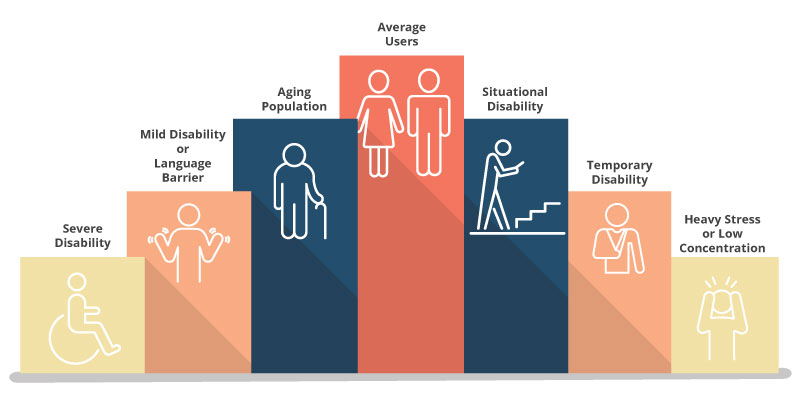
People With Disabilities
This includes a wide range of mild and severe visual, motor, auditory, and cognitive disabilities. For example, people with motor impairments may rely on keyboard navigation, while those with visual impairments might use screen readers that require alt text for images.

Aging Population
As people age, they may need things like captions on videos or larger fonts.

Non-Native English Speakers
Users may need extended time to read text and more straightforward content (preferably at a 9th-grade reading level).

People With Cognitive Limitations or Anxiety
These users may need easy-to-read fonts and well-organized text to help them stay focused. They also prefer well-defined instructions about what will happen next or what is expected.

People With Limited Vision or Color Blindness
To read text, users may need to be able to zoom in or have a high contrast between foreground and background colors.

People With Situational Disabilities
This can range from users trying to view a cell phone or laptop screen in the sunshine to a user who is in a loud construction zone and unable to hear videos.

People With Temporary Disabilities
Someone who suffers from a head, hearing, or eye injury or who suffers from something like a broken arm may temporarily need alternative ways to access your web information while they are recovering.

Heavy Stress or Low Concentration
Users are sometimes under heavy stress and not able to concentrate on every detail of information your website provides. They benefit from sites that are easy to use and navigate.
You want everyone to be able to use your website. As our population ages and technology becomes more common, more people will benefit from accessible websites.
Defining Digital Accessibility
Accessibility means that people with disabilities can access the same online information as anyone else. Disabilities can make using a website or phone difficult. You’re losing potential customers if someone can’t navigate your site to buy something.
About one in five American adults has some kind of disability. Web accessibility lets people with disabilities understand, navigate, interact with, and contribute to web content. It also helps older adults, people with limited motor skills, people in rural areas with slow internet, and people with color blindness. Accessible websites can be used with a mouse or a keyboard and work with assistive technologies like screen readers.
“1 in 5 American adults live with some sort of disability.”
Essential Elements of Accessible Sites
It’s important to remember that achieving perfect accessibility can be challenging. Address key accessibility criteria to ensure the site is as accessible as possible. Continuously gather feedback from a diverse range of users, including those with disabilities, and use that feedback to identify areas for improvement and make your website more inclusive.
Here Are Some Key Things to Keep in Mind:
Captions and Transcripts
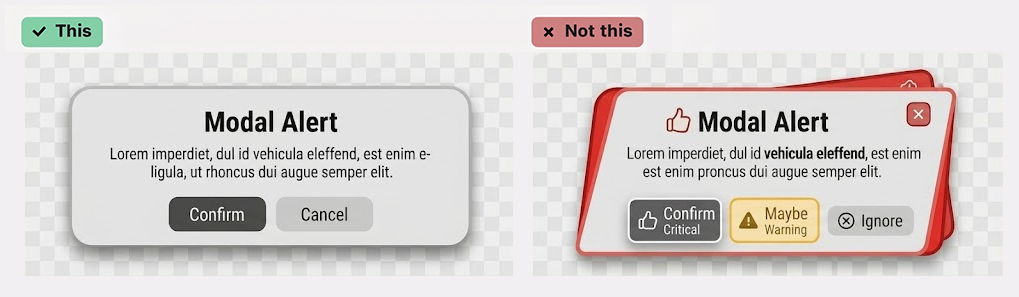
Provide these for videos and audio content. Avoid adding music to spoken words, as this can hinder comprehension.
Structure Your Text
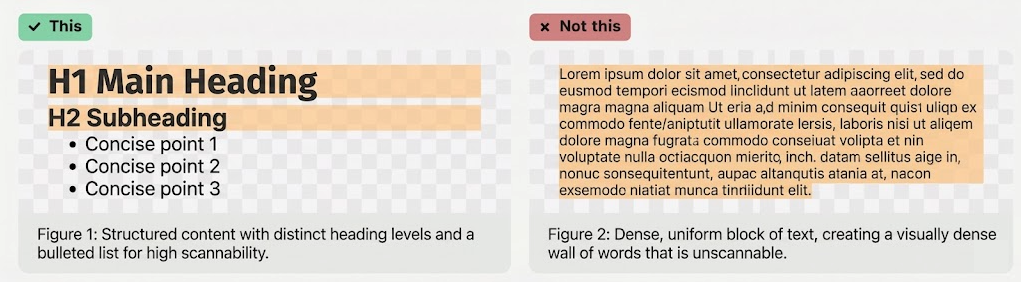
Use headings, subheadings, and lists to make your content easy to scan and understand. Breaking text into digestible pieces keeps readers engaged and helps them find what they need.
Clear and Simple Language
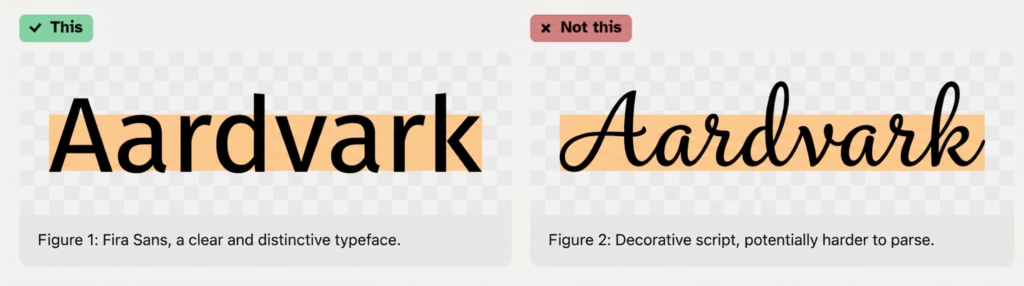
Please always use language that everyone can understand and organize your content in a way that’s easy to follow. Aim for a reading level of about 9th grade.
Keyboard Accessibility
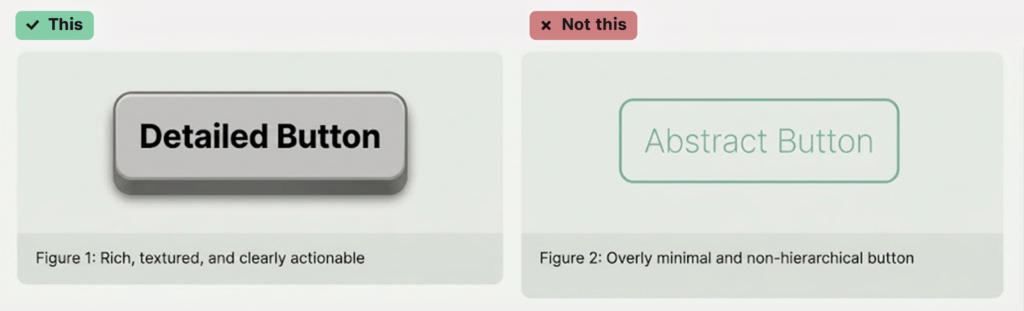
Make sure everything on your site can be used with just a keyboard. This also benefits people who use assistive technologies that rely on keyboard input.
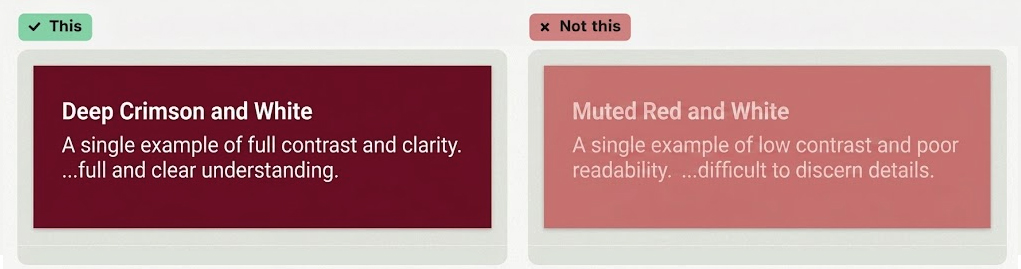
Color Contrast
Make sure there’s enough difference between the text and background colors so people can read easily. The contrast should be 4.5:1 for standard text and 3:1 for large text.
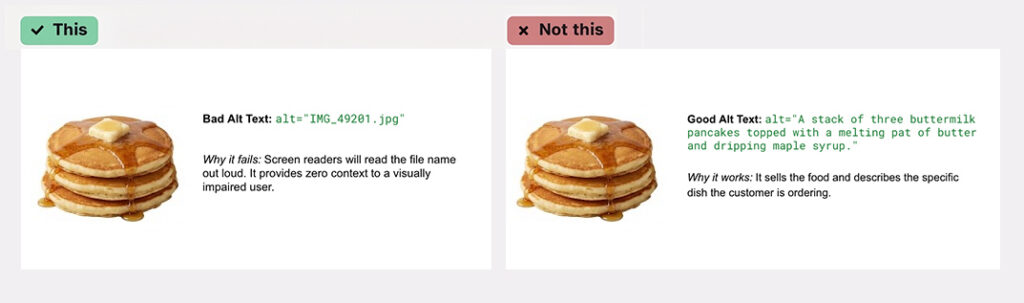
Alt Text for Images
This allows screen readers to describe images to people who can’t see them. It also displays on the page if an image fails to load due to a slow internet connection.
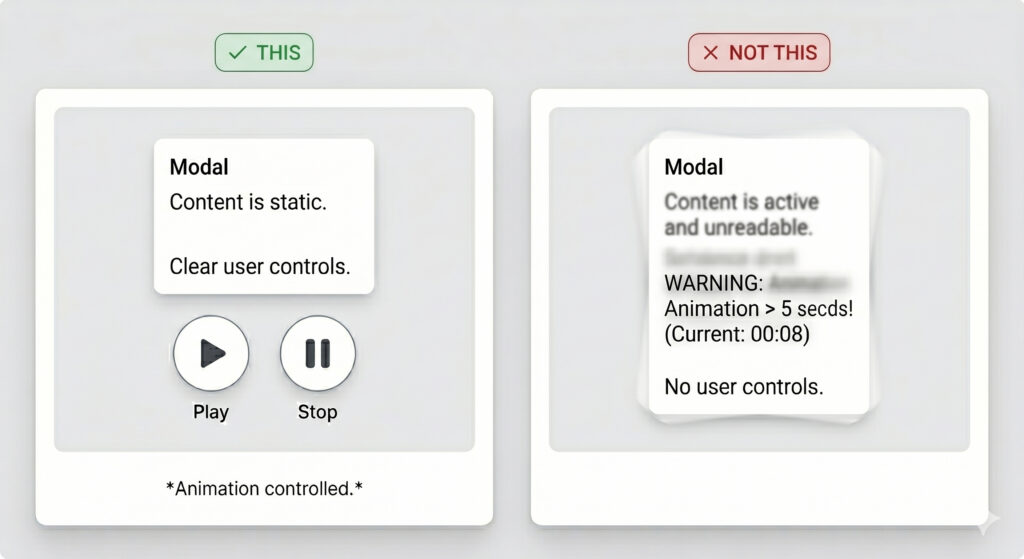
Consider Animations
Avoid animations that run for more than 5 seconds or give users a way to stop them. Animations can be distracting or even cause problems for people with specific cognitive disabilities.
“Every person with a disability that leaves your site in frustration or confusion is a dollar lost.”
– Kevin Rydberg
Impact on Business Owners
Ask yourself: Can everyone do the same things on my website? If not, think about your audience and how they access your site. Everyone is different. Simple things, like color choices, can have a big impact.
For example, if you use only red and green to show which mushrooms are safe to eat, someone who is colorblind won’t be able to tell the difference.Your website should be both technically accessible and user-friendly. Think about the challenges your users might face. Is there enough color contrast? Can someone navigate with just a keyboard? Can a screen reader understand your site? Prioritizing accessibility ensures a better experience for all users, enhances SEO, and helps you reach a wider audience.
Compliance and Legal Standards
The Americans with Disabilities Act (ADA) is a law that prevents discrimination based on disability. This includes websites. The Department of Justice (DOJ) uses the Web Content Accessibility Guidelines (WCAG) to regulate website accessibility. WCAG has different levels of conformance: A, AA, and AAA. Level AA covers the most common set of barriers and is often required for websites that get federal funding. The DOJ is starting to enforce these rules more, starting with government websites and then potentially moving to private businesses. There may be a “safe harbor” rule for older websites, but anything updated after the regulations take effect will need to be accessible.
Steps to Get Started
- Learn more: Check out the resources in this document to learn more about web accessibility. The WCAG guidelines are a great place to start.
- Test your website: Use online tools to see how accessible your site is now.
- Plan for accessibility: If you’re creating a new website, think about accessibility from the beginning. This will save you time and money in the long run.
- Get help if you need it: The Accessibility Team here at Vivid Image can help you make your website more accessible.
Remember, making your website accessible is an ongoing process. But by learning about it and making changes, you’re making the web a better place for everyone.

Ready to Learn More?
Ready to make your website more accessible and inclusive? Schedule an accessibility consultation with our experts to discover actionable steps you can take today.


