You’ve probably asked yourself: “How long should my website last?”

Here’s what most business owners don’t want to hear: Your website is already aging the moment it goes live.
Understanding this reality will save you thousands in lost revenue and help you stay ahead of your competition.
The Uncomfortable Truth About Website Lifespan
Let me be direct: In years past, businesses could hold onto a website for 5-7 years. Those days are gone.
Today, the technology powering your website starts requiring updates within 30 days of launch. Within 2-3 years, you’re facing compatibility issues. By year 5, you’re on borrowed time.
Why? Because the digital landscape moves at lightning speed, and standing still means falling behind.
What Makes a Website “Old”?
Most business owners think, “My website still loads, so it must be fine.”
But here’s what’s actually happening:

Plug-ins and software get abandoned by developers. Nobody can update them anymore, creating incompatibilities with WordPress and PHP.

Security vulnerabilities emerge when outdated components can’t receive patches. This isn’t just technical. It’s a business liability.

User expectations evolve rapidly. What impressed visitors three years ago now frustrates them. They don’t care about your technical limitations, they just know your competitor’s site works better.
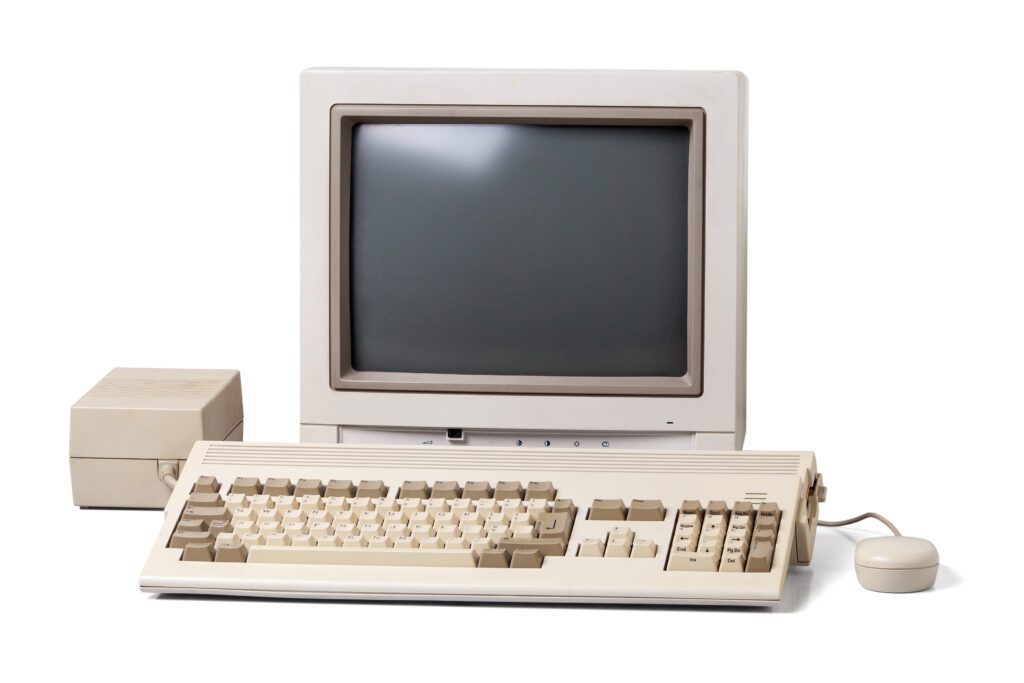
The Real Cost of an Outdated Website
- Lost Customers: You have 3 seconds or less for your site to load. 83% of customers say a seamless experience across devices is very important.
- Damaged Reputation: 75% of people won’t consider purchasing from a brand with a poorly designed website. 94% of negative user feedback relates to design, and users form their opinion in just 50 milliseconds.
- Poor Search Rankings: Google expects the newest technology for speed and mobile-friendliness. When you fall behind, your rankings drop. Lower rankings mean less revenue.
“But Can’t I Just Update What I Have?”
At some point, you’re trying to update a foundation that can no longer support modern features. It’s like installing a smart home system in a house with 1970s wiring.
Visual refreshes work when the underlying technology is solid. But when the entire site is outdated and compatibility issues are mounting, a rebuild isn’t optional; it’s necessary.
The Hidden Benefits of Website Rebuilds

Efficiency gains you didn’t know were possible. Your team makes changes faster. Marketing campaigns that took days now take hours.

Modern design elements that make your business look current and credible.

Better marketing results because the site supports your current strategies, not strategies from three years ago.

Improved user experience that converts visitors into customers.

AI-ready infrastructure that positions you for the future of search—the part most business owners don’t know about yet.
Why AI Readability Matters More Than Ever
How people find information online is fundamentally shifting. ChatGPT, Google’s AI Overviews, and other AI tools are increasingly how your customers discover businesses.
Old websites aren’t built for AI to read them properly. Modern websites are.

Modern rebuilds include schema markup, which is structured data that tells AI exactly what your content means, not just what it says.
For example:
- Your business hours are structured data AI can extract and share
- Your products are organized so AI can understand and compare them
- Your reviews are marked up so AI knows they’re ratings from real customers
- Your location is geographic data AI can use for local searches
When someone asks ChatGPT “Who are the best [your industry] companies in [your area]?” will your 7-year-old website be recommended? Probably not.
But a modern website with proper schema markup? AI systems can quickly pull accurate information and confidently recommend it. This isn’t theoretical. Businesses with AI-optimized websites are already appearing in AI-generated answers while their competitors are invisible.

A Real Client Example
Jessica Verhasselt from Excelsior Homes has rebuilt with us multiple times over 20 years:
“Technology moves so fast, and five years is actually a really long time in website years. Our most recent site redesign is more in line with how our customers search, which has changed significantly. We provide a better user experience and our internal processes are so much more efficient too.”
The rebuild wasn’t just about looking modern. It was about aligning with customer behavior and improving operations.
How to Know When YOU Need a Rebuild
- Your site is 3-5 years old
- Security warnings or compatibility issues appear frequently
- Your competitors’ sites look and function better
- Your team struggles to make updates or implement features
- Bounce rates are increasing
- Your business has evolved but your website hasn’t
- You’re invisible in AI search results
If two or more apply, it’s time for a serious conversation.
What Happens If You Wait Too Long?
- Security breaches become more likely
- Revenue losses compound as visitors leave frustrated
- Competitive disadvantage grows
- Technical debt accumulates, making the eventual rebuild more complex and expensive
- AI invisibility means missing an entire customer acquisition channel
Waiting doesn’t save money. It costs money.
Your Next Steps
The question isn’t “How long should my website last?” It’s: “Is my website performing at the level my business deserves right now?”
If the answer is no or “I’m not sure,” it’s time to have that conversation. Ready to explore whether a website rebuild makes sense for your business? Let’s talk about your specific situation, your goals, and what a modern website could do for your bottom line.
Frequently Asked Questions About Website Redesigns
The honest answer: it depends. A basic rebuild starts around $10,000-$15,000. Mid-sized businesses with complex functionality: $20,000-$35,000. Enterprise-level sites: $40,000+.
But what is it costing you to keep your outdated website? If you’re losing even 2-3 qualified leads per month, that outdated site is likely costing you more than a new one would.
The better question: What’s the ROI? A well-built modern website should pay for itself through improved traffic, better search rankings, and operational efficiencies.
Sometimes, yes. If your site is only 2-3 years old and built on solid technology, a refresh might work.
But if your site is 5+ years old or has compatibility issues, you’re throwing good money after bad. We’ll always be honest about whether updates will work or if you need a rebuild.
Most rebuilds take 8-16 weeks from kickoff to launch. The biggest variable? You. Projects move faster when clients provide timely feedback and make decisions promptly.
Not if done correctly. When properly executed, a rebuild should improve rankings because:
– You keep all your domain authority and backlinks
– Modern technical SEO is built in from the start
– Page speed and mobile optimization have improved significantly
Many clients see ranking improvements within 2-3 months after launch.
Schema markup is structured data code that helps search engines and AI understand what your content means.
When you write “Open 9-5 Monday-Friday,” humans understand that. But without schema markup, Google and AI just see text. With schema markup, they know it’s your business hours and can display that information directly in search results or AI responses.
When someone asks AI “What’s the best [your service] near me?” sites with proper schema markup get featured prominently. Sites without it get overlooked.
If your website doesn’t have comprehensive schema markup, and most sites built before 2023 don’t, you’re likely invisible to AI-powered search.
Are you getting as many leads as you could be? You might be getting 10 leads per month when a modern site could generate 25 or 30.
Consider:
– Is your bounce rate increasing?
– Are competitors outranking you?
– Do you get complaints about the mobile experience?
– Are you appearing in AI search results?
A functioning website isn’t the same as a high-performing website.
DIY platforms like Wix or Squarespace are fine for very small businesses or start-ups testing an idea. But if you’re generating six figures or more in revenue, your website needs to be a revenue-generating machine.
DIY sites have significant limitations in custom functionality, advanced SEO (including schema markup), load speed optimization, and AI readability.
More importantly, consider your time. What could you have earned doing what you actually do best—running your business?
Plan for a significant redesign every 4-5 years, with smaller updates in between.
With modern websites and proper maintenance, you can extend that lifespan by keeping plugins updated monthly, refreshing content regularly, and making incremental improvements.
Businesses that go 7-10 years between redesigns aren’t saving money. They’re losing money and eventually facing a more expensive, more complex rebuild.
Waiting too long. By the time most businesses decide to redesign, they’ve already lost thousands in revenue to poor user experience, low search rankings, and security vulnerabilities.
The second biggest mistake? Treating the website as a one-time project rather than an ongoing business asset.
Your website isn’t a brochure. It’s a 24/7 salesperson, customer service rep, and brand ambassador. Would you let any employee go five years without updated training or helpful feedback & changes? Your website deserves the same investment.
Ready for an Updated Website?
Rebuild your website to benefit from new features, increased flexibility, enhanced security, and increased customer activity.
