Why Google Business Profile Verification Fails (and What to Do Next)
Claiming your Google Business Profile (GBP) is one of the most important steps you can take to improve your local visibility, but for many business owners, the process isn’t always smooth. From failed verifications to suspended listings, small issues can quickly turn into big frustrations.
Here are five of the most common challenges businesses face when claiming their Google Business Profile, along with practical tips to avoid or fix them.
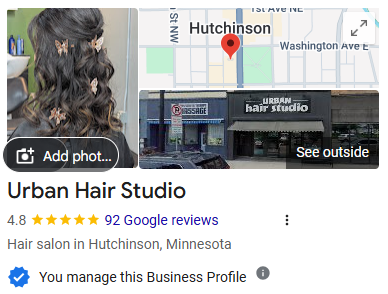
1. Verification Keeps Getting Rejected
One of the most common issues businesses run into is repeated verification failure. This often happens during video verification when Google can’t clearly confirm the business’s location or legitimacy.
Why it Happens
- The video doesn’t clearly show permanent signage
- Google can’t verify access to the business space
- Business information is inconsistent across the web
How to Avoid or Fix it:
- Show permanent signage, the exterior of the building and entry into the workspace
- Demonstrate ownership or access (unlocking a door, entering employee-only spaces, showing equipment or tools)
- Make sure your business name, address, and phone number match everywhere online
- If you’re rejected multiple times, contact Google Business Profile support instead of resubmitting the same video
2. No Physical Signage or a Shared Location
Home-based, rural, or service-area businesses often struggle with verification because they don’t have traditional storefront signage, a dedicated entry, or nearby landmarks.
Why it Happens:
- The business operates from a home, shared building, or rural location
- The office is inside another business or industrial building
- There are no visible street signs or neighboring businesses
How to Avoid or Fix it:
- Set your profile up as a Service Area Business if customers don’t visit your location
- In verification videos, show nearby roads, driveways, or property access points
- Include branded vehicles, uniforms, tools, or equipment
- Avoid using virtual offices or co-working spaces unless they are staffed and open to customers during business hours
3. The Business Is Already Claimed by Someone Else
Sometimes you’ll find that your business profile already exists, and someone else controls it. This is common when a previous owner, employee, or marketing agency created the listing.
Why it Happens:
- Ownership was never transferred
- Duplicate profiles exist
- An agency claimed the profile and didn’t grant access
How to Fix or Avoid it:
- Click “Request Access” on the profile
- Request the appropriate level of ownership or management access
- If there’s no response after seven days, Google may approve access automatically, or escalate the request through Google support
- Be prepared to provide proof, such as a business license, utility bill, or ownership
4. Profile Gets Suspended or Disabled
A suspension can happen during or shortly after claiming a profile and it can completely remove your business from Google Search and Maps.
Why it Happens:
- Keyword-stuffed business names
- Address violations or ineligible locations
- Using P.O. Boxes or UPS store addresses
- Inconsistent business details online
How to Avoid or Fix it:
- Use your real-world business name exactly as it appears offline
- Ensure consistent Name, Address, and Phone (NAP) information across all platforms
- Review Google’s Business Profile guidelines before submitting
- If suspended, submit a reinstatement request with proper documentation
5. No Verification Options Are Available
Some businesses find that Google doesn’t offer postcard, phone, or video verification options, leaving them stuck.
Why it Happens
- The profile is brand new
- The industry is considered higher risk
- The profile information is incomplete
How to Avoid or Fix it:
- Fully complete your profile before requesting verification
- Add business hours, categories, photos, and a working website
- Build trust by ensuring your business details match other online listings
- Contact Google Business Profile support to request an alternative verification method
Google Business Profile Claiming and Verification: What to Remember
Claiming your Google Business Profile is essential for local visibility, credibility, and customer trust…but it’s not always a simple process. Understanding these common challenges and knowing how to address them can save you time, frustration, and lost visibility.
If you’re struggling to claim or verify your Google Business Profile, professional guidance can make all the difference.
Need Help Claiming or Fixing Your Google Business Profile?
Claiming your Google Business Profile shouldn’t be frustrating. If you’re stuck, we’re here to help. From setup to verification and ongoing management, we ensure that our clients’ businesses are accurately represented on Google.
