Facebook Page Transparency Is Gone From Pages
If you used to check a Facebook Page to see whether a business was running ads, you probably noticed something has changed recently. The “Page Transparency” section that used to live on the Page is not there anymore. You are not overlooking it. It is no longer available in the same place.
That said, in true Facebook fashion, the rollout isn’t entirely consistent. Some accounts can still see ad activity the “old” way, but most users no longer have access to it on the Page itself and now need to use a different method.
The good news is that you can still check whether a Page is running ads. Facebook moved that information to a different tool called the Meta Ads Library. This is Meta’s public database that lets anyone look up ads being run by a Page.
If you plan to use this tool often, bookmark that link so you can get to it quickly.
How to Check If a Facebook Page Is Running Ads
Start by opening the Meta Ads Library. In the first dropdown, select the country you want, like the United States.
In the next dropdown, you’ll see that it mentions an “ad category.” The label can be confusing, because you are not really choosing a category in the way most people think. Click the dropdown and select “All ads”. Then, click into the search field and start typing the name of the Facebook Page you want to check. As you type, you should see a list of Pages appear.
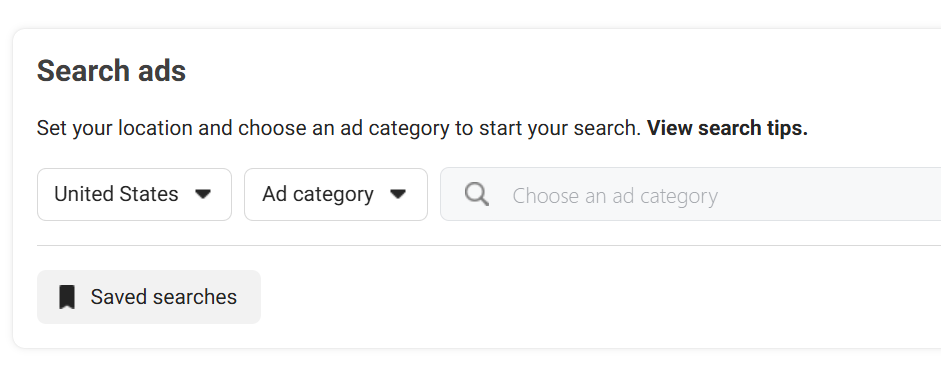
Click the correct Page from the list. Once you select the Page, the Ads Library will show you any ads that Page is currently running. You can scroll through them to see the images, videos, and messaging they are using. If you do not see any ads, that usually means the Page is not running ads at the moment.
Looking to get more out of your Facebook ads?
We’ll help you grow using Facebook ads and more once you have a clear message and a solid foundation.
