Facebook has been rolling out all kinds of changes that past few months, from the Meta name change to rolling out tools such as Creator Studio, Business Suite, and more…
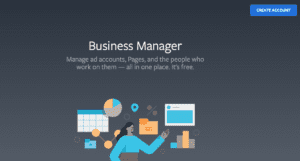
If you are running Facebook Ads beyond boosted posts, or if you’re an advertiser on Facebook who shares access to multiple pages and ad accounts with other people, it’s a good idea to transition to Business Manager. Business Manager is Facebook’s platform for organizing your Facebook Advertising accounts and Facebook Pages. It allows your business to maintain ownership and access of ad accounts. If you are working with a website or social media agency (like us) it also gives the agency permission to help manage and optimize the ads (again, while you maintain ownership and access).
- Business Manager is a more secure way to manage your Pages and ad accounts.
- You can see who’s working on what and what they have access to see and work on.
- You can also keep your business separate from your personal Facebook profile.
Facebook Business Manager is Advantageous when:
- You need more than one ad account
- You need to request access to Pages or Ad accounts
- You need to assign permissions to different people or agencies working together (such as Vivid Image helping you with Facebook Ads)
- You need business-level insights and reporting
Keep your Facebook Assets Protected
Are you an admin on a Facebook page? Do this now, (especially before starting a Facebook Business Manger).
- Take a look at who has access to your Facebook Page under roles. Make sure there are at least two people within your company with access.
- Make sure 2-Factor Authentication is set up on the personal profiles for yourself and anyone who is admin on the Facebook Page.
Ready to start your next social media advertising campaign? Contact Vivid Image for guidance on getting your Business Manager properly set up and creating a Facebook Ad Campaign.
Facebook Business Manager Resources:
How do I get Facebook Business Manager?
See a listing of your Business Managers / Business Suites you have access to
Business Manager Overview
Facebook Account Hacked? Mari Smith has great tips for securing your Facebook profile, Ad Account, and Business Manager

