ABOUT | BLOG | PODCASTS | EVENTS | SUPPORT

  • Skip to main content
  • Skip to footer

Vivid Image

  • Strategy
  • Web Design
    • Subscription Websites
    • WordPress Websites
    • Hosting
    • Portfolio
  • Digital Marketing
    • Online Listings
    • Reviews & Reputation
    • Google PPC
    • Local Market Visibility
    • Social Media Ads
    • Social Media Management
    • Search Engine Optimization
    • Branding & Graphic Design
    • Content & StoryBranding
  • Marketing Department
  • Search
  • Talk with Our Team

How can we help?

Popular Searches

Website Design

Print Design

Contact Us

Search Ranking

Google Ads

Storybrand

Content Writing

Events

Training

Logo Design

Hiring

Our Team

Our Culture

How to Spot and Report Fake Emails Pretending to Be Vivid Image

Blog News How to Spot and Report Fake Emails Pretending to Be Vivid Image

April 15, 2026 by Beth Gasser

Phishing Emails Being Sent

There are fake emails being sent that appear to come from Vivid Image. These messages are not from our team. They are fraudulent and are meant to trick people into responding, clicking links, opening files, or sharing information.

At Vivid Image, we value relationships, and our clients work closely with the same Account Director. So if you receive an email from someone you do not recognize or if something feels off, please pause and take these steps:
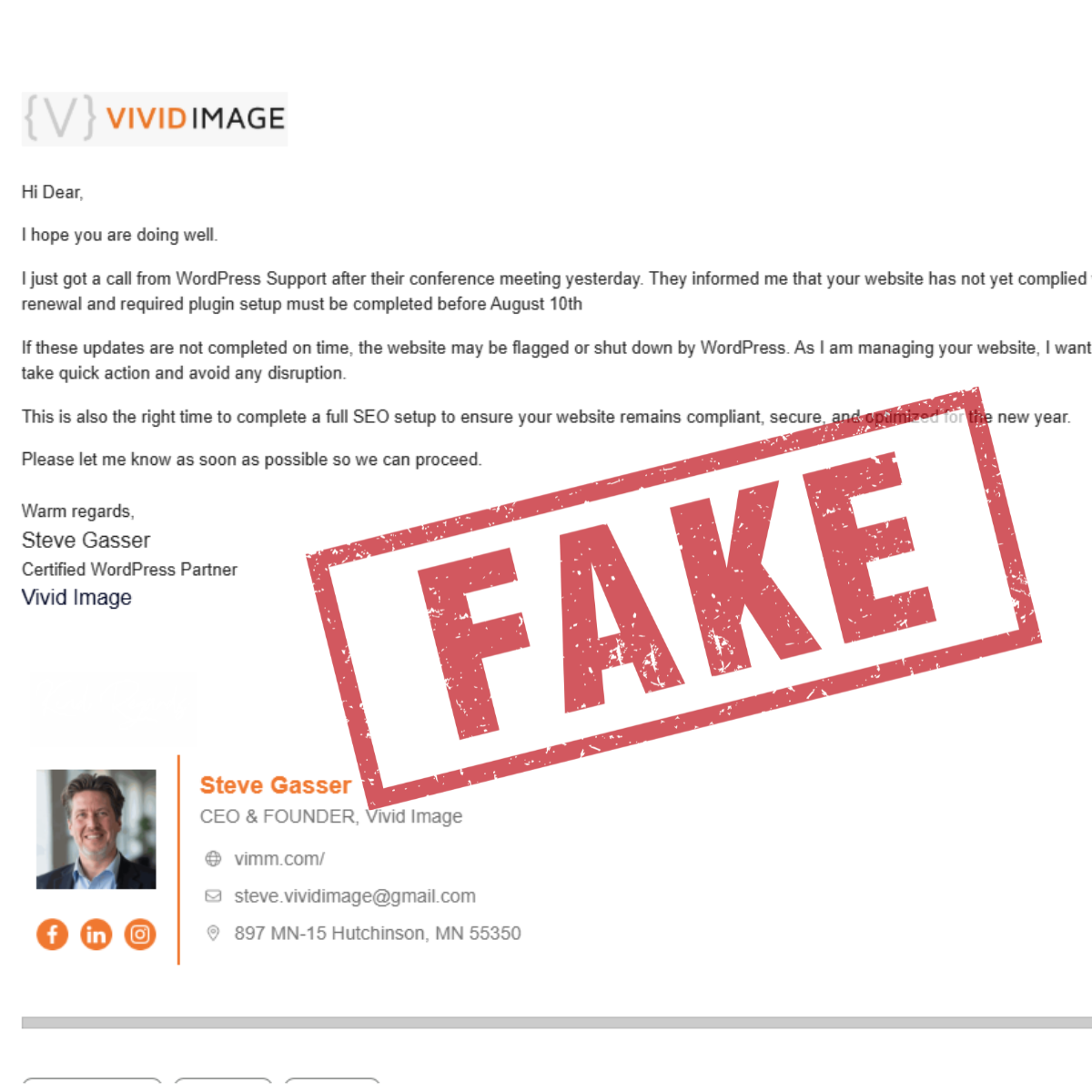
Four email screenshots are arranged diagonally on a gray background, featuring correspondence between a web company and a client. The emails discuss website accessibility and are signed by Thomas, CEO of Vivid Image.
  1. Do not click any links in the content, footer, logo, or social media icons. Even if the email looks real, do not click on anything inside it.
  2. Do not reply, as replying can let scammers know your email is active.
  3. Do not open attachments
  4. Report the email as phishing if your email system gives you a phishing option. For example, Gmail lets you report messages as phishing by clicking the three dots in the upper-right corner of your email.
  5. If phishing is not an option, mark it as spam. Some email platforms, like Rackspace, may not have a phishing button. In that case, mark the message as spam or junk.
  6. Block the sender

We value the trust you place in our team, and we are taking this matter seriously. We have filed a formal complaint with the proper authorities and are continuing to watch the situation closely. If you receive a message that seems unusual or does not feel like it came from someone you know at Vivid Image, please contact our team before taking any action. When in doubt, reach out.

Filed Under: News

Footer

Vivid Image Logo

(320) 587-8974
[email protected]
897 MN-15
Hutchinson, MN 55350

  • Facebook
  • Instagram
  • LinkedIn
  • YouTube
Web Design

Subscription Websites
WordPress Websites

Hosting

Portfolio

Digital Marketing

Online Listings

Reviews & Reputation

Google PPC

Local Market Visibility

Social Media Ads

Social Media Management

Search Engine Optimization

Branding & Graphic Design

Content & StoryBranding

Strategy

Book a Playbook

Marketing Department
Guides

Content Guide

Lead Generation Guide

Local Marketing Guide

Reviews & Reputation Guide

Safety & Security Guide

Social Media Guide

Web Design Guide

About

Our Team

Reviews

Charitable Giving

Careers

RADiCL

Resources

Events

Blog

Podcasts

Support

Training

Talk with Our Team

Copyright © 2026 Vivid Image, All Rights Reserved. Cookie Policy Terms of Service Disclaimer Site Map Accessibility Privacy Policy

This field is for validation purposes and should be left unchanged.
Name(Required)
Email(Required)
