
Hold on to your hat! Since 2023 Instagram saw a whopping 80% of Instagram users say that they use the platform to research products and services, and 90% of them follow at least one business profile, according to the latest statistics by EmbedSocial.
With so many businesses building their Instagram communities and millions of active users logging in every day, it’s important to know how to best use Instagram for your small business. It’s changing everyday, and you may not be aware of some of the tools and best practices that will take you farther in your marketing.
Just Getting Started on Instagram for Business?
Make sure you set up a business profile and not a personal account to take advantage of all the features and integrate it with your Facebook business page. The following information will be helpful as you get started.
Creator Studio
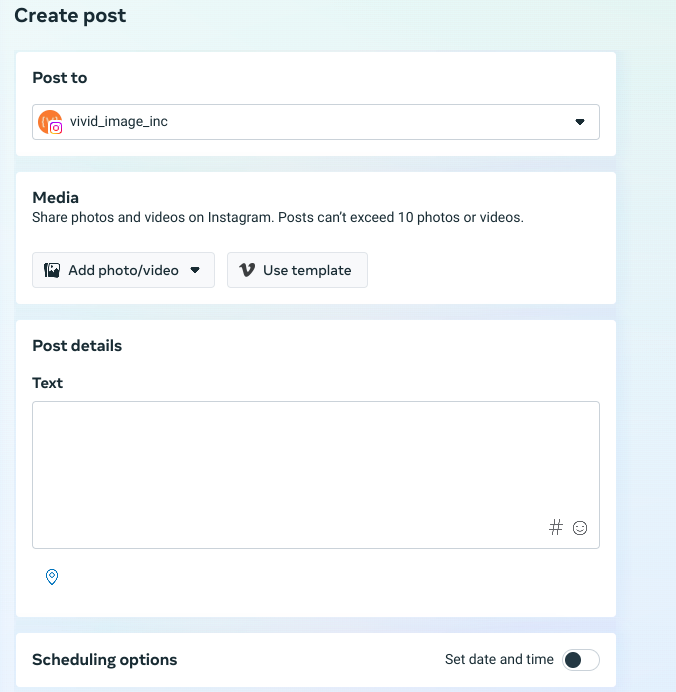
Meta Business Suite is Facebook’s content creation and management tool that integrates both Facebook and Instagram. It took the place of Creator Studio (and before that Publisher Tools). Most of the cool “bells and whistles” available for your Facebook page can be used with Instagram too.
Did you know that you can schedule posts on Instagram from Meta Business Suite to streamline your social media posting calendar and maximize your time?
How Do I Make Links Work on Instagram?
Well, in a nutshell, links really don’t play well with Instagram. Generally speaking, you get up to five links in your bio, so you’ll want to make them count. If you’re in the midst of a fundraising campaign, add a link to go directly to your donation page. If you’re launching a new product with most of your content and excitement centered on it, update the link in your bio! A cool tool that helps you make multiple links readily available to your followers is linktr.ee It’s simple to set up and a free version will do what you need it to do. Your other option to add links to your Instagram content is through ads.
Content that is Insta-Worthy
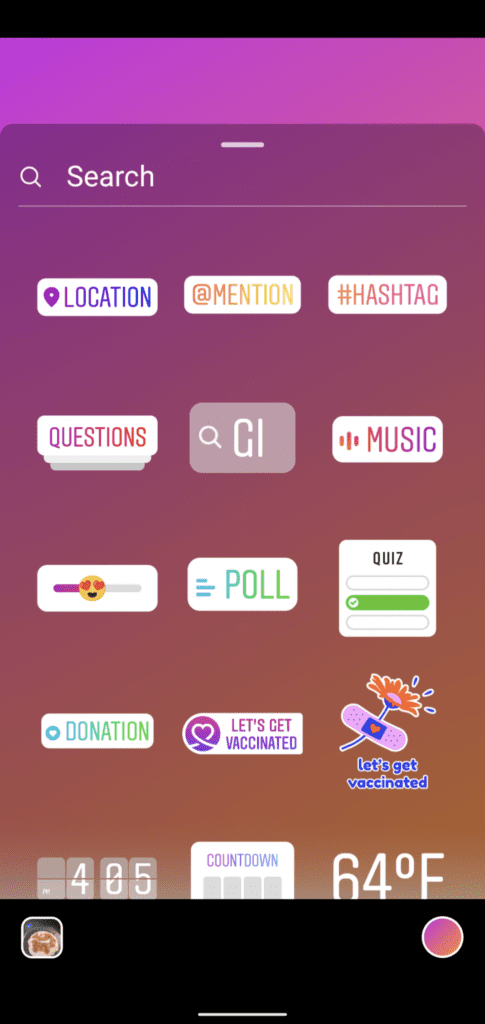
Don’t have any new images or videos to share on Instagram? They’ve made it easy to ask a question or take a poll via your Instagram Story with stickers and templated tools. To access, just click on “create” after you click on the camera icon.
Statistics are Cool
Everyone wants to measure marketing efforts. If you’re just getting started on Instagram for your business, it’s important to know that you need to reach 100 followers before full access to insights will kick in.
Reels
Reels is the video platform portion of Instagram. Learn more about creating video content for your business here. Instagram makes it easy to record video or upload your own to create Reels quickly. You can add text, audio, and edit the length. Note: the time limit for Reels is 90 seconds, so save your long-form video for YouTube. Second note: with a business profile, you will likely not have access to most of the trending audio floating around Instagram due to copyright.
Hashtags are a BIG Part of Instagram
Use hashtags! The consensus seems to be that 3-5 hashtags is the right number on a post, which can be in your post or in the first comment, but not in your bio. Save that space for your most important brand messaging. Hashtags are one of the best ways for people to discover you on Instagram and help you reach out of your normal “keywords and topics”. That’s why it’s important to get creative with your content and post something different on Instagram than your other channels when you can. Need a little more help with hashtags? This is cool too.

