If Facebook notified you that you’ve been removed as an admin of your Business Page, you probably have not lost access.
Facebook appears to be transitioning existing Business Pages into an associated Meta Business Manager, and your permissions have simply been moved rather than removed.
While another administrator can intentionally remove your access, that is different from the widespread notifications many Facebook business page administrators have recently been receiving.
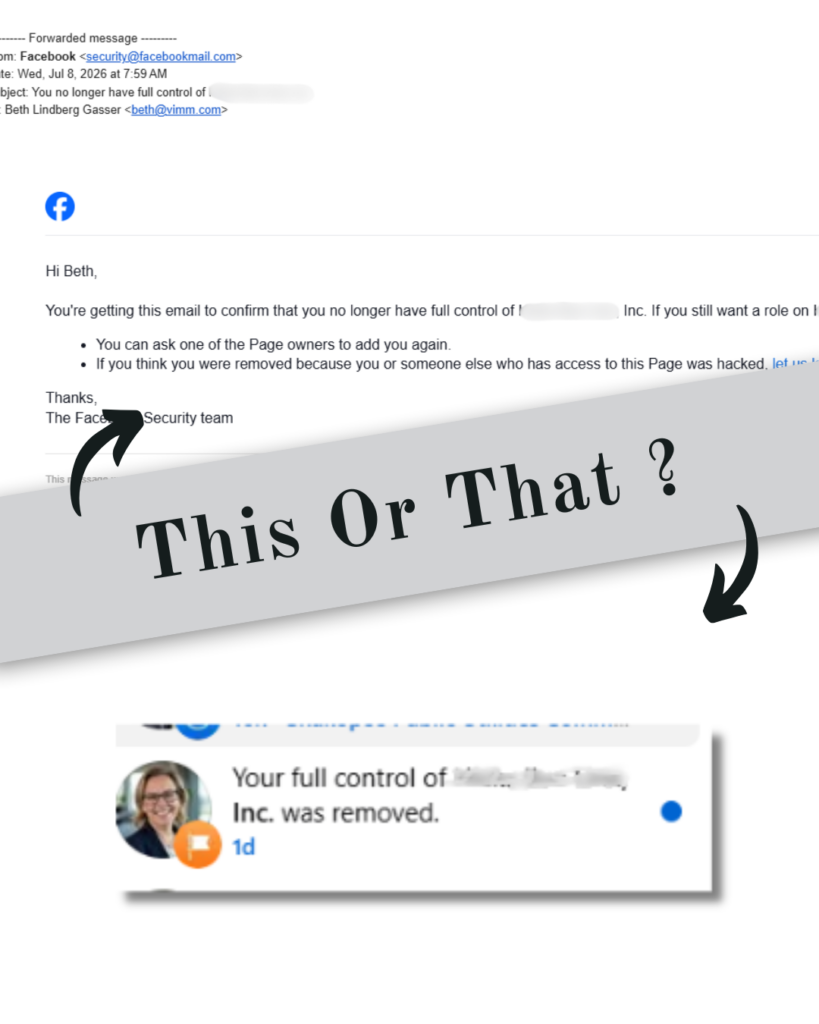
Notice the wording in this email and Facebook app notification. Facebook says you’ve been “removed as an admin,” which naturally sounds like you’ve lost your permissions. However, for many people, that is not what has actually happened. Instead, Facebook appears to be reorganizing where your permissions are managed within Meta Business Manager.
What is Happening?
Based on what we’re learning, Facebook is moving businesses that already have an existing Meta Business Manager connected to their Facebook Page further into that Business Manager structure.
This does not appear to be Facebook creating a new Business Manager for your business. Instead, Facebook seems to be reorganizing how administrators are managed within an existing Business Manager.
Why Is Facebook Doing This?
Meta has encouraged businesses to use Business Manager for years because it provides stronger security, better control over business assets, and reduced risk of hacking. Rather than simply recommending businesses make the switch, Facebook now appears to be proactively transitioning Pages that already have an associated Business Manager. Many business owners are surprised by this because they did not even realize a Business Manager was already associated with their Page.
Why Do Some Admins Still Show on the Page?
This is one of the biggest sources of confusion. Exactly how Facebook determines who is moved and what permissions they receive remains unclear. We’re monitoring this information closely. We’re seeing situations where:
- The person who originally created the Business Manager remains the primary owner.
- Some Page admins are moved into the Business Manager’s Facebook Page admin permissions, keeping their full admin access to the page itself.
- Others still appear as Page admins with the same level of permissions, but directly on the Facebook page (outside of the Business Manager).
- Some users receive partial administrative access within the Business Manager User area
Does This Mean I Lost Access?
That depends. Although Facebook’s notification says you’ve been removed as an admin, many people actually retain their ability to manage the page. Their permissions have simply moved inside Meta Business Manager instead of appearing directly on the Facebook Page. Unfortunately, the notification is worded poorly, which leads many people to believe they’ve lost access when their role has really just changed locations.
However, if a Business Manager is associated with your page and nobody at your business, including any current full admin of the page, has control of it, your future ability to add or remove page admins will be restricted. That will cause real problems down the road. The time to act is now: figure out who controls your Business Manager and have them grant full user access to the rightful page owners.
How Can I Check?
If you receive this notification:
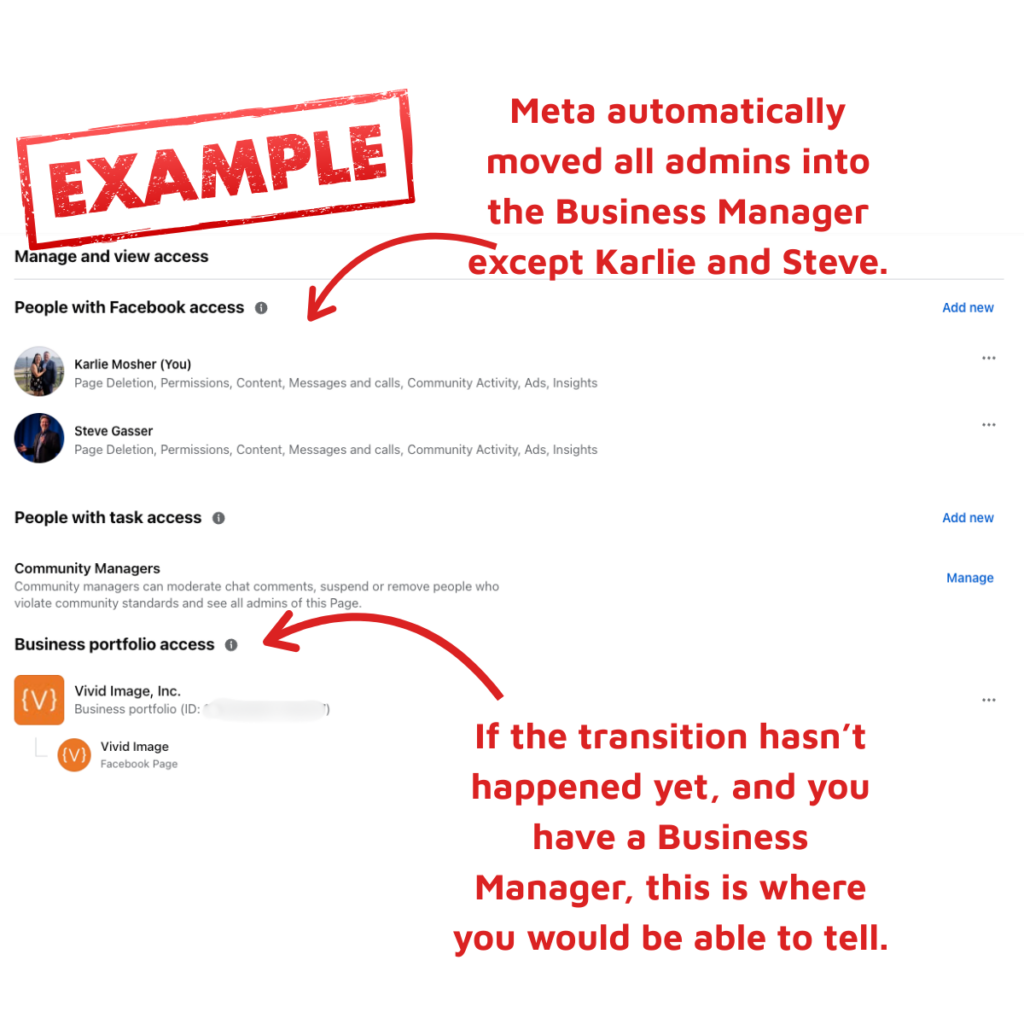
- Log in to your Facebook page like you normally would and navigate to the admin panel. If you have a Business Manager, you should be able to tell from this screen. If the transition has already taken place, you will likely be able to see the names of those moved into the Business Manager, as well as those (if any) not in the Business Manager.
- You could also log into your Business Manager, which, if you haven’t done that in a while, you could type business.facebook.com and find it that way.
- If you cannot access the Business Manager at all, contact the person who originally created it or another full Business Manager administrator to verify your permissions.
It’s Always Good To Keep an Eye on Your Facebook Account
Now is the time to gain proper access, remove anyone you no longer need in there, and double-check you have two-factor authentication set up so your Meta Business Portfolio is as secure as possible. If you have lost access to your Facebook page and/or Business Manager, and you are a client of Vivid Image, reach out so we can contact Meta Support and start the legal dispute process, if needed.