Anyone Listed with Full Access Owns the Business Manager
Knowing who has full access matters more than ever. Meta is moving Facebook page admins into the Business Manager that owns the page, so only people with full access can now add, remove, or change page admins.
To find out who that is, log in to Facebook on a computer, go to business.facebook.com, open Settings, then click People. Each person’s access level appears next to their name.
Steps to Seeing Who Has Access
Take these steps to see who has access to Business Manager.
- Login to Facebook
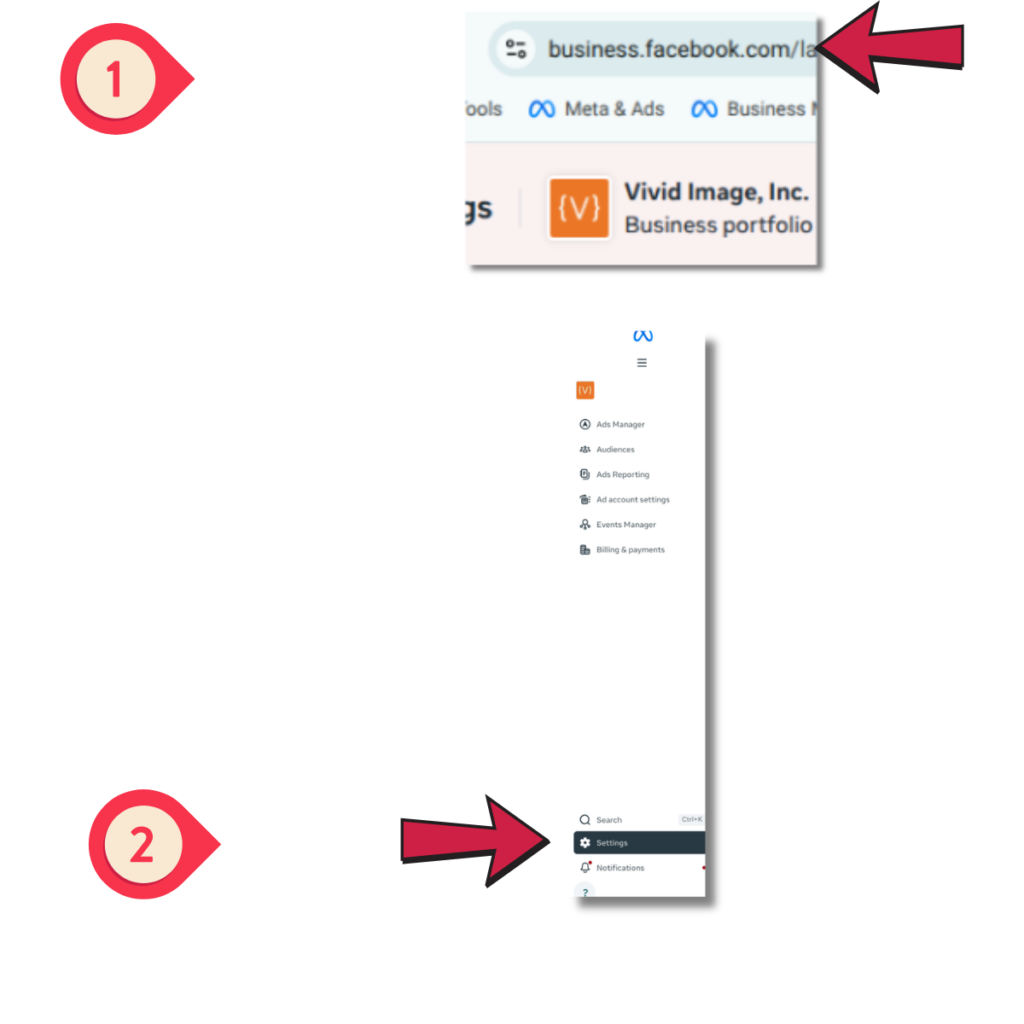
Log into Facebook like you normally would. Then type business.facebook.com in the URL. This will likely take you in Meta Business Suite.
- Access the “Settings” tab
Look for the “Settings” tab toward the lower left with a gear icon next to it. Click it to get the next navigation panel to appear.
- Access the “People” tab
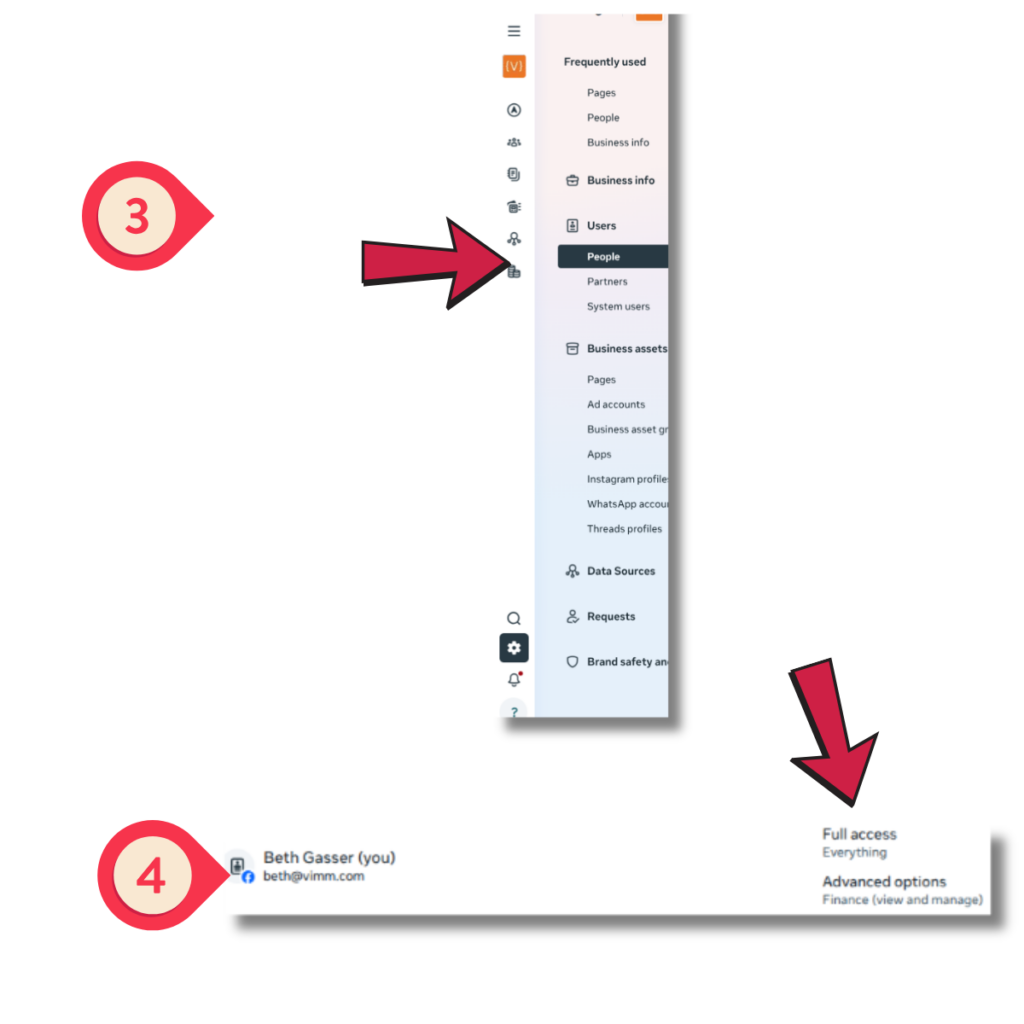
If you have any access to a Business Manager, there should be a “People” tab under a Users category, as shown in the Step 3 screenshot at the right.
- Check your access level
If you have full access to the Business Manager, you should see “Full Access” next to your name like shown in the Step 4 image. If you see “Partial Access” next to your name, you do not own/control the Business Manager.
In some cases, those with Partial Access will see only themselves in the Business Manager. This can mean a Business Manager exists but nobody has full admin access to it. This can happen if someone who did have full admin access doesn’t understand how all of this works and removed themselves before adding someone else in. It may mean that there is a full admin, but for some reason you don’t have permissions to see who it is. In most cases, those with Partial Access can only see themselves and the name of the person with Full Access. When this is the case, you’ve found who needs to add in others into the Business Managers and/or adjust permissions from Partial to Full Access.
Important Note: Only those with Full Access can grant admin access to managing the Facebook page itself, by clicking on “Pages” and then adding anyone who has at least “Partial” access in the Business Manager first.
A Few More Frequently Asked Questions
A Business Manager is a Meta account that holds & controls business assets like Facebook pages, Instagram accounts, and ad accounts. Meta now calls it a business portfolio, so you may see either name. Its name doesn’t always match your business, either. It’s sometimes named after the person who created it.
No, not necessarily. It is very possible you do not have a Business Manager. If your page isn’t connected to one, admins are still managed through your page settings & the steps above don’t apply.
No, and the two roles are often confused. A Business Manager owner (listed as Full Access) manages the Business Manager itself, including who has access to your page. A Facebook page admin with full control can post, run ads & manage the page, but if your page sits inside a Business Manager, only the Business Manager owner can add, remove, or change page admins.
If the owner still works at your business, you’re in good shape. Consider having them give full access to a second trusted person so your business is never down to one point of access.
If the owner no longer works at your business, reach out to them as soon as possible. Ask them to either add your business owner as a full access admin of the Business Manager or remove your page from their Business Manager. Fixing ownership now is much easier than trying to recover a page later.
If nobody can be found, you’ll need to go through Meta’s page or Business Manager dispute process to prove ownership. Meta Support with that process is mostly limited to paid, verified accounts, which Vivid Image maintains to provide support for our clients. The process requires gathering information & documents and can take time. In the meantime, current page admins can keep posting & managing day-to-day page activity.