Are You Keeping Your Social Media Current?
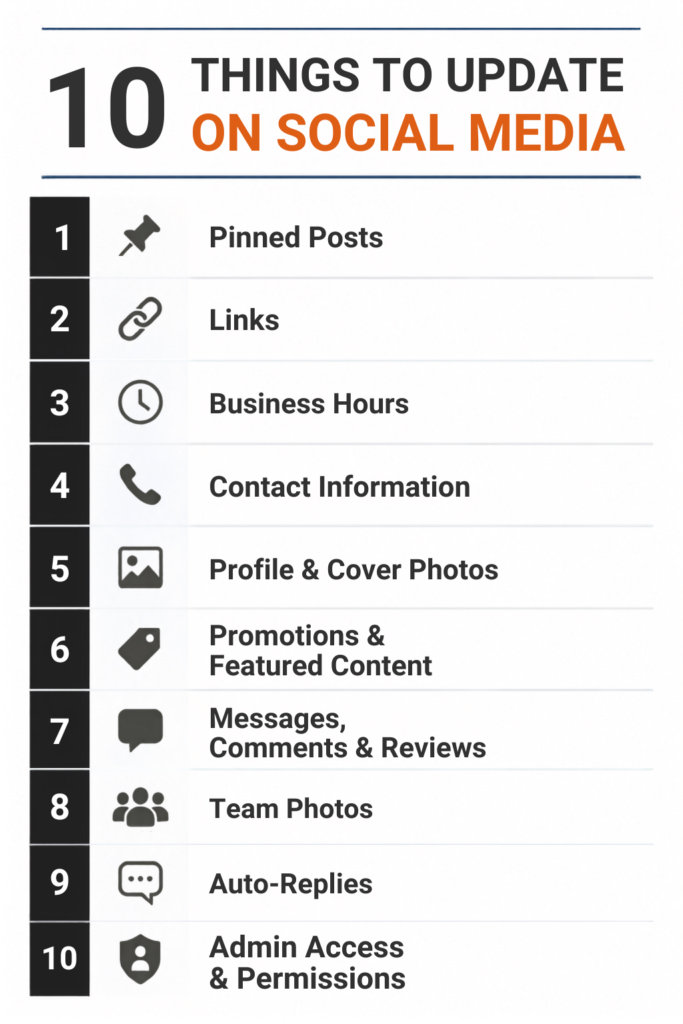
The most commonly forgotten social media updates aren’t usually the posts themselves. They’re the profile details, customer information, and account settings that quietly become outdated over time. As a business owner, you’re juggling dozens of priorities, so it’s easy for these small details to slip through the cracks. Keeping them current helps customers find accurate information, builds confidence in your business, and creates a better first impression. Here are 10 things every business should review regularly to keep its social media profiles up to date.
1. Pinned Posts
Yes, you should be checking your pinned posts regularly, ideally once a month. That announcement you pinned to the top of your Facebook page six months ago is the very first thing new visitors see. If it’s an expired promotion, an old event, or outdated info, it’s actively working against you. Set a recurring reminder to review and refresh pinned content.
2. Contact Information
Contact information deserves a regular audit across every platform, not just your main one. An old phone number, a retired email address, or a street address from an office you left last year can sit on a profile for a long time without anyone noticing, mostly because you’re not the one trying to reach yourself. Someone trying to call a disconnected number, or emailing an inbox nobody checks anymore, rarely tries a second time. They just move on to whoever’s information actually works.
3. Links: Bio, Website, and Everywhere Else on Your Page
Every link on your profile deserves a regular check, not just the one in your bio. Links live all over the place, your bio, your About section, contact fields, service or menu tabs, even captions from months back. For each one, it really comes down to two questions:
- Does it actually work? A dead link doesn’t take anyone anywhere, and that’s not a small thing. It’s often someone’s first attempt to reach you or learn more, and hitting a “page not found” right out of the gate can hurt the trust you’re trying to build.
- Does it still make sense? A link can load just fine and still send someone to a discontinued product, an old campaign, or a page you took down a while ago.
Whether it’s a link-in-bio tool like Linktree or just the other links spread across your profile, take a minute to make sure they’re all pointing to what’s current. It’s a quick check, but it can be the difference between someone finding you and someone giving up and moving on.
4. Business Hours
You should review your business hours whenever they actually change, and check in periodically, even when they don’t. Hours shift more than people realize: holiday closures, summer schedules, a staffing change that quietly pushed your opening time back an hour. It happens subtly over time, and it’s easy to update your website and completely forget that your Facebook page still says something different.
Here’s the thing: people don’t usually check your hours out of curiosity. They check because they’re already on their way, or planning to stop by after work. Arriving to a locked door because your profile said you’d be open is the kind of experience customers remember, and not favorably. It’s a small detail, but it’s one of the fastest ways to lose a customer’s trust before you’ve had the chance to earn it.
5. Profile and Cover Photos
Profile and cover photos are worth reviewing seasonally, and immediately after any rebrand. A cover photo still wishing everyone happy holidays in March, or a logo you retired a rebrand or two ago, sends a quiet signal that nobody’s actively minding the account. This is often the very first thing someone sees before they’ve read a single word you’ve written, so it’s worth treating like the first impression it actually is.
6. Expired Promotions, Offers, and Featured Content
Promotions and featured content need auditing on a regular basis, since none of it expires on its own. An old discount code, a “Sale Ends Friday” graphic still up in July, an event listing for something that already happened, or a featured tab spotlighting a product you no longer carry: these all share the same problem. They’re set-and-forget by design, which is exactly why they get forgotten. An expired offer isn’t just an eyesore either. Picture a customer showing up expecting a discount that ended months ago, or clicking through to a product page for something you don’t sell anymore. That’s a frustrating experience you handed them, and it was entirely avoidable.
7. Unanswered Messages, Comments, and Reviews
This might be the single most important item on this list to stay on top of consistently, not just once a month. A question or complaint sitting unanswered for weeks is one of the most damaging things a new visitor can stumble across, because it tells them, in real time, that nobody’s paying attention. This goes for DMs, comment threads, and public reviews alike, including the negative ones. A thoughtful, timely response to a bad review often does more for your credibility than a dozen five-star reviews sitting untouched. Set a cadence for clearing the backlog, even if it’s just a quick acknowledgment while you look into something further.
8. Old Team or Staff Photos
Team photos need a review every time someone joins or leaves, not just whenever you happen to think of it. Cover photos, profile pictures, featured posts, and photo albums are the usual culprits: a group photo used as your cover image, a “meet the team” album, or a featured post spotlighting staff who’ve since moved on. Once someone leaves, that content quietly becomes outdated, and a former employee still front and center on your cover photo sends an odd signal to anyone who happens to know they’re gone, including past clients, coworkers, or someone doing a bit of research before reaching out to you.
9. Auto-Reply Messages and Chatbot Responses
Automated messaging needs the same attention as anything you write yourself, arguably more, since it’s often the very first response someone gets. An automated FAQ answer is convenient right up until it’s wrong: a price that changed months ago, a policy that’s since been updated, hours that no longer apply. Whoever’s on the receiving end has no reason to think that response is outdated, so it’s worth checking on the same schedule as anything else customer-facing.
10. Admin Access and Team Permissions
Admin access might be the least visible item on this list, and arguably the most important. Former employees, an old marketing agency, a past intern: anyone who still has admin or posting access to your accounts is a real risk, whether that means an accidental post, a security issue, or simply someone who no longer has any reason to be there. Review your admin list on a regular cadence, and remove access the same day someone leaves, not whenever you happen to remember.
You Can Do This!
Social media maintenance isn’t glamorous, but it’s the difference between a profile that feels current and one that feels abandoned. Block off 20 to 30 minutes once a month to run through this list. It’s a small habit that protects your brand’s first impression.

Ready for Better Results from Your Social Media?
An active, up-to-date social media presence helps build trust, strengthen your brand, and make it easier for customers to choose your business. If you need help managing your social media or creating a strategy that delivers better results, we’re here to help.
Get in touch with our team to get started.