There’s a Reason Someone Doesn’t Leave You a Review
If you’re looking for help with reviews, it’s important to know that people don’t leave reviews for one of two reasons; they don’t know how to leave a review or they forget. If you’ve landed on this blog post looking for how to instruct your customers on how to leave reviews for your business, you need a system that will bypass the reasons people don’t leave reviews, and we can help!
Anyone wanting to learn how to support their favorite businesses and organizations with reviews can follow these steps:
Directions If You Have Gmail
- Log into your Google/Gmail Account
The easiest and fastest way to leave a Google review is to be logged into your Google/Gmail Account and then open a browser window. (If you don’t have a Google/Gmail Account, scroll down for additional help).
- Search for the business on Google
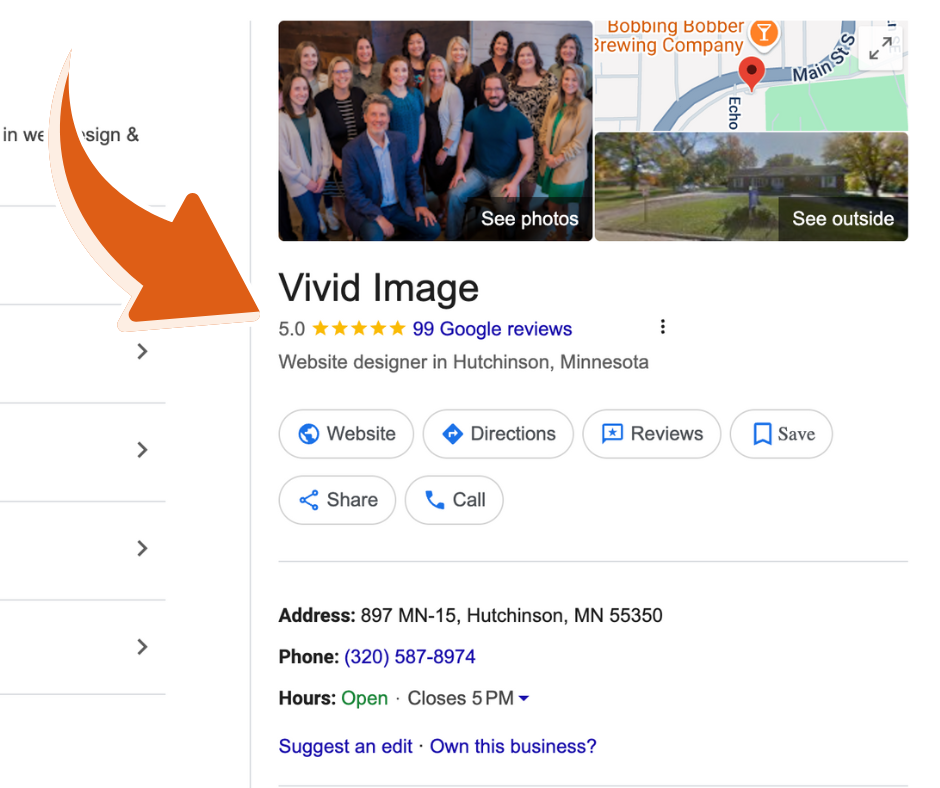
Search Google for the business or organization you want to leave a review. If the business has a Google Business Profile set up, you’ll see it in the right-side panel.
- Click on “Google Reviews”
Next, click on “Google Reviews.” A pop-up screen will appear with a button that says “Write a Review.” If you don’t get this pop-up to happen, you’re not signed in to your Google account.
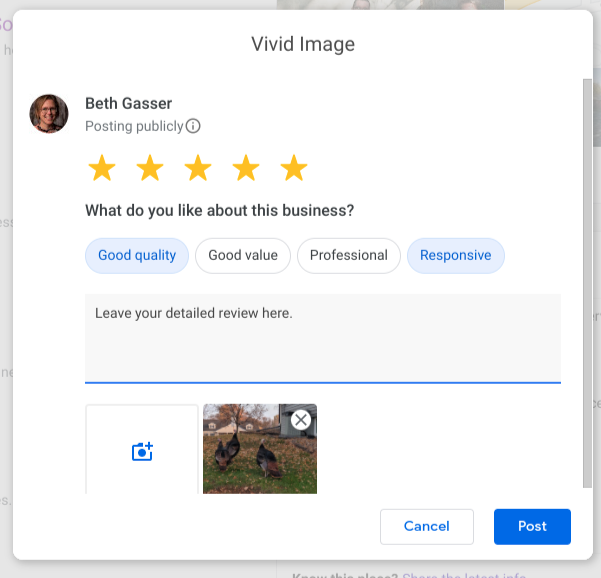
- Select star rating and write your review
Select the number of stars you’d like to leave and then write out as thorough a review as possible. Remember, other people want to read as many details as possible and see photos, if you have any to include. You can select some predefined description words to include with your review, but they are optional. Once you are done, click the “Post” button.
Hint:
You can find the review link within Google Maps on your phone too!
How Do I Leave a Google Review If I Don’t Have Gmail?
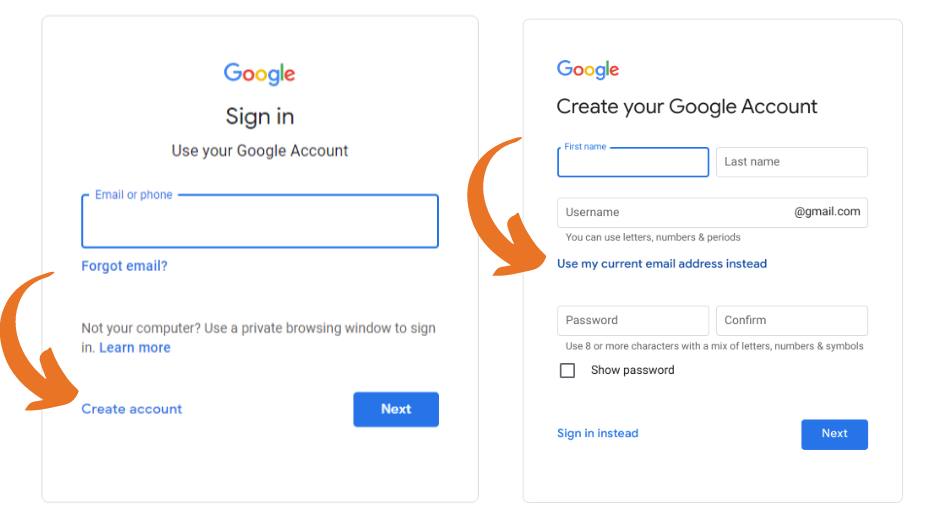
We highly recommend having a Google Account! However, you can still leave a review, with only one extra step. If you have pulled up the business you want to do a review and got a pop-up prompting you to log-in to your Google Account, you’ll want to connect your email of choice. First click “Create account.”
You’ll see another option called “use my other email account instead,” click that! Once you enter that info, you’ll be redirected back to leave a review and you can follow all the steps we explained earlier in this post.
Build Trust. Take Control. Reputation MATTERS.
Make it easy for your clients & customers to give you 5-Star reviews and outpace your competitors.
